
Software release: 4.0.5 or newer
Last updated: 29 June 2026
General remarks
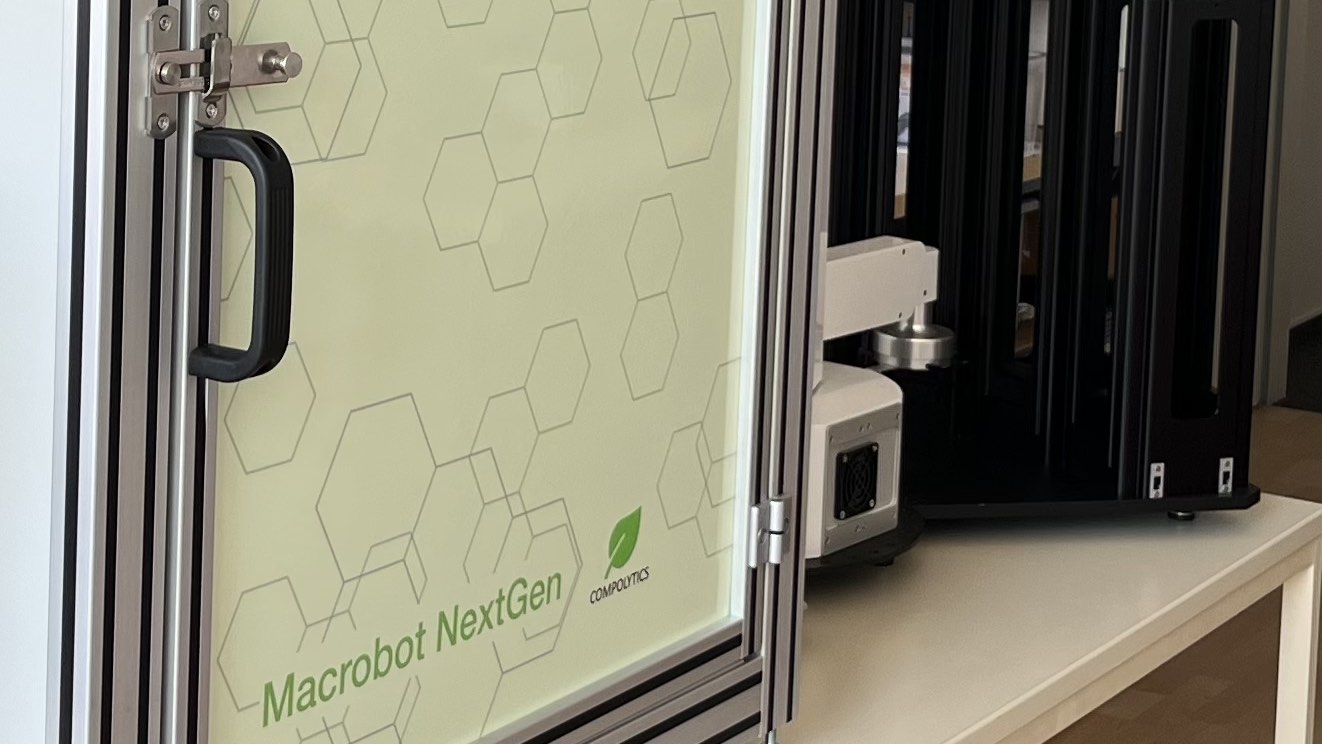
As with any advanced technical system, occasional issues or unexpected behaviour may occur during operation.
This Troubleshooting Guide serves as a continuously growing knowledge base for the COMPOLYTICS® Macrobot NextGen platform. Here we document known issues, practical solutions, and recommendations based on internal testing and user feedback.
Please check this page regularly, as new troubleshooting information and updates will be added over time.
Warning: The Macrobot contains automatically moving components (e.g., the PlateCrane and linear conveyor stage). Never reach into the device or interfere with moving parts while the system is in operation. In the event of unexpected behavior or an emergency, press the emergency stop button located on the front of the imaging chamber. This will immediately stop the system and require a manual restart before operation can resume.
The Macrobot system PC does not power on when the main power switch is turned on.
Most likely the BIOS is not configured to power the PC on automatically.
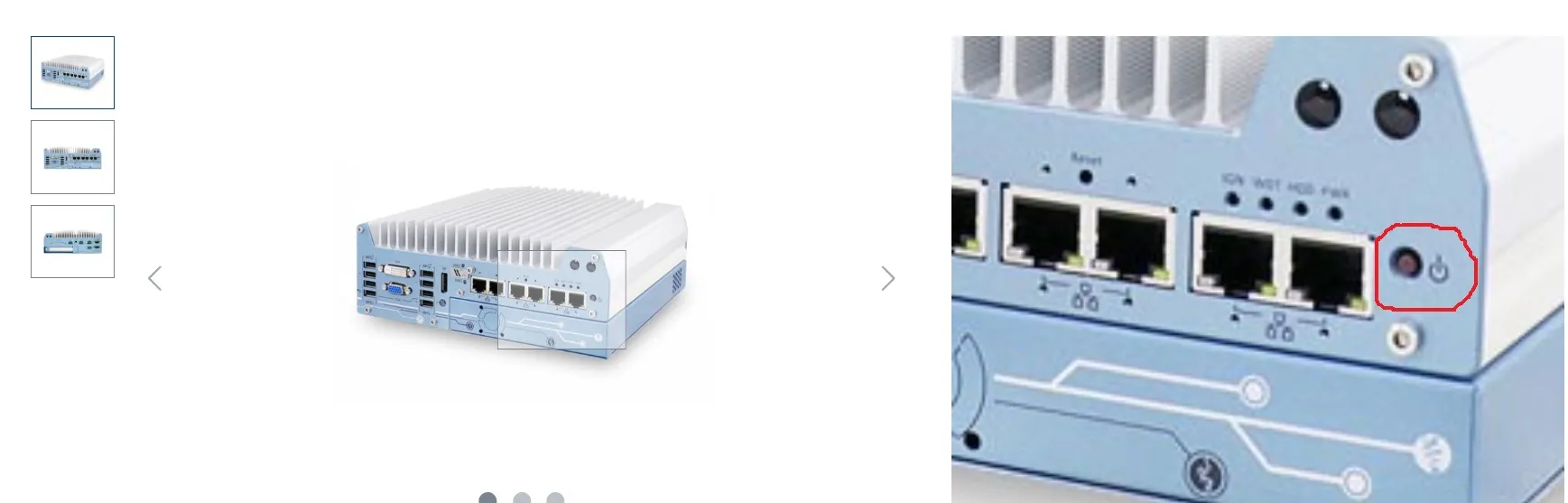
- Switch on PC manually.
- Enter PC BIOS by pressing Del, ESC or key as indicated by the PCs boot screen while PC is booting (before Windows is loading indicated by spinning circle).
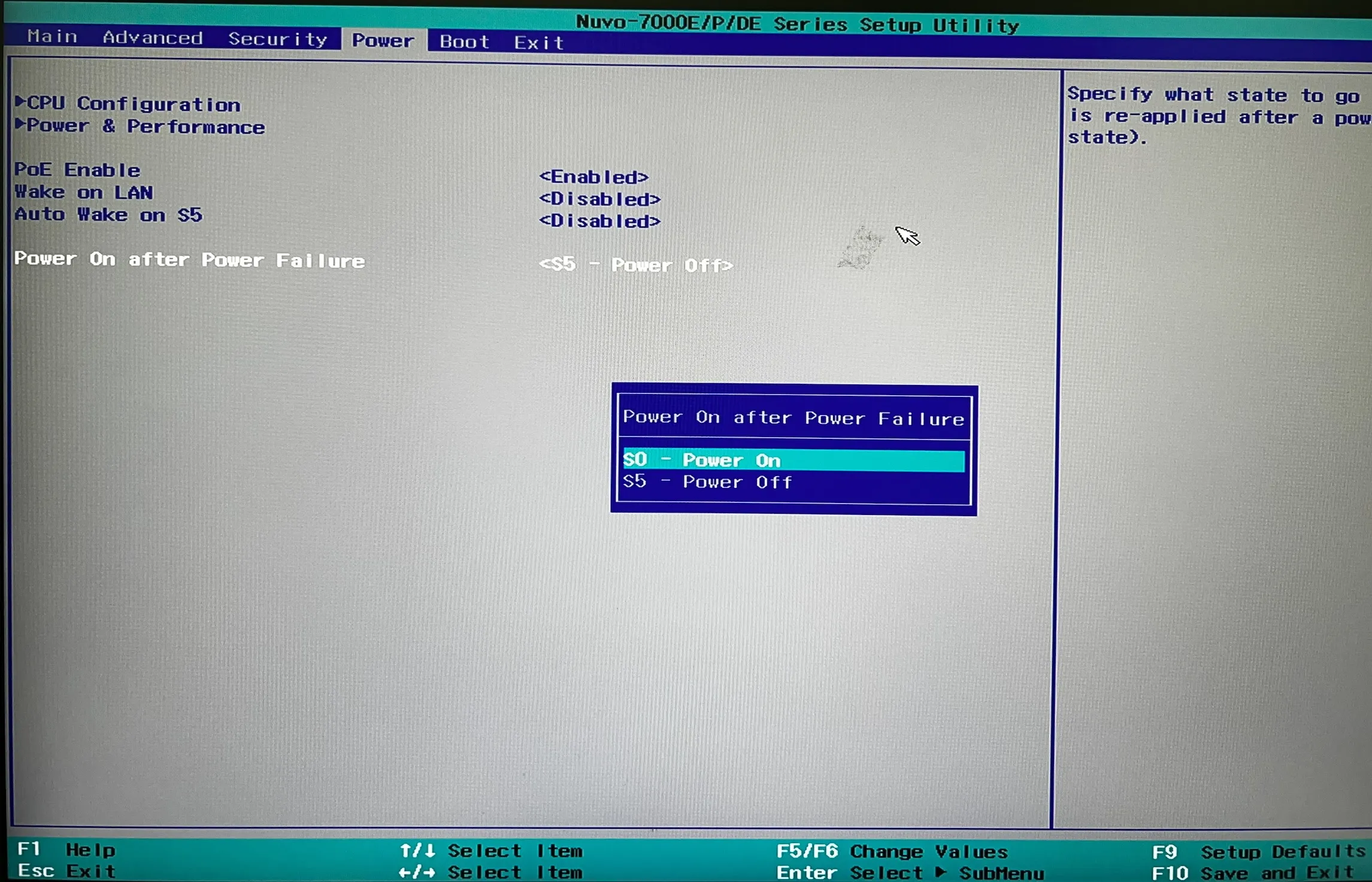
- Make sure that on the “power” tab the option “Power On After Power Failure” is set to “S0 – Power On”.
The Macrobot may report an incorrect plate count when checking the stack fill state.
A mismatch in plate count indicates potential issues with plate stacking.
- Check that plates are evenly stacked in the plate hotel.
- Confirm that all plates are correctly seated and not tilted within the stack.
- Use only standard well plates approved for Macrobot operation (Footprint following ANSI standard: 127.8 mm (length) x 85.5 mm (width), 14.4 mm (height); e.g., CELLSTAR® Four Well plates from Greiner, Item No. 96077307).
The PlateCrane gripper does not pick up plate and lid correctly, e.g., picks up only the lid instead of the plate.
- Ensure plates are properly stacked in the plate hotel.
- Verify that plates are not tilted and are correctly aligned.
- Tilting may occur during loading; gently run a finger along the stack to detect misalignment.
- Use only standard well plates approved for Macrobot operation (Footprint following ANSI standard: 127.8 mm (length) x 85.5 mm (width), 14.4 mm (height); e.g., CELLSTAR® Four Well plates from Greiner, Item No. 96077307).
- Check whether the plate weight has changed significantly. Maintain a consistent agar fill height of approximately 0.5 cm in all well plates.
- Ensure that plates are free of condensed water on all sides (top, bottom, sides), e.g., allow plates to temperate when transferred from cultivation chambers or incubators. Remove remaining water drops from the outside of the plates before loading the stack.
The PlateCrane drops a plate (base and lid) during transfer between the stack and the carrier.
- Check the alignment of plates in the stack. Ensure they are evenly stacked without tilting. Gently run a finger along the sides of the stack to detect misaligned plates.
- Inspect plates for adhesive residues on the base or lid. Clean plates regularly and ensure barcode labels are fully removed to avoid sticky surfaces.
- If the issue persists, recalibrate the stack positions in the Macrobot software. Contact Compolytics support if needed.
- Place the Macrobot on a stable, level surface. Avoid setups that introduce tilt, such as bridging two separate lab benches.
When placed on the carrier for imaging, opening the lid also moves the plate base.
- Ensure there are no adhesive residues (e.g., from barcode labels) on the plate base.
- Verify that the lid can be detached from the base without friction.
- Replace worn or damaged plates as needed.
- Clean plates regularly, especially after frequent use.
After the plate is returned from the imaging chamber on the carrier, placing back the lid is not smooth (e.g., a grinding sound occurs).
This may occur if the plate was not properly gripped in the stack at the beginning of this plate’s measurement cycle. An incorrect initial grip can shift or tilt the plate relative to its lid, causing misalignment. This leads to increased friction when replacing the lid, resulting in rough movement or grinding.
- Ensure that all plates in the stack are correctly aligned and not tilted.
- Verify that plates are dry and free of condensation.
Error reading plate barcodes.
Insufficient margins around the printed barcode.
- Ensure the barcode is not printed too close to the edge of the label.
- Maintain a margin of several millimetres between the barcode (start and end) and the label edges.
The image quality of the acquired images is unsatisfactory.
The Macrobot is equipped with a high‑resolution industrial camera designed to deliver excellent image quality in terms of resolution, sharpness, and contrast across the visible and (if implemented) UV/NIR ranges.
- Check that the camera is properly focused (e.g., verify that the lens has not been touched or that the camera‑to‑plate distance has not changed).
- Ensure that the selected light recipe is optimised for the samples to achieve high image contrast. Application‑specific light recipes can be configured and selected for each experiment.
- Verify that the programmable light panels in the imaging chamber are correctly aligned and directed toward the sample position on the carrier.
- Ensure that the acquired high‑resolution images are used for image analysis and pattern recognition, as preview images are of reduced quality and not suitable for this purpose.
The PlateCrane loses its programmed positions for the stage, stack, and parking positions and does not move to these positions, even under manual control.
- Contact Hudson Robotics Support, as this issue is typically caused by an end‑of‑life battery on the PlateCrane main board.
- Compolytics support remains available to assist with coordination and further guidance if required.
- Note: User intervention is not possible in this case.